
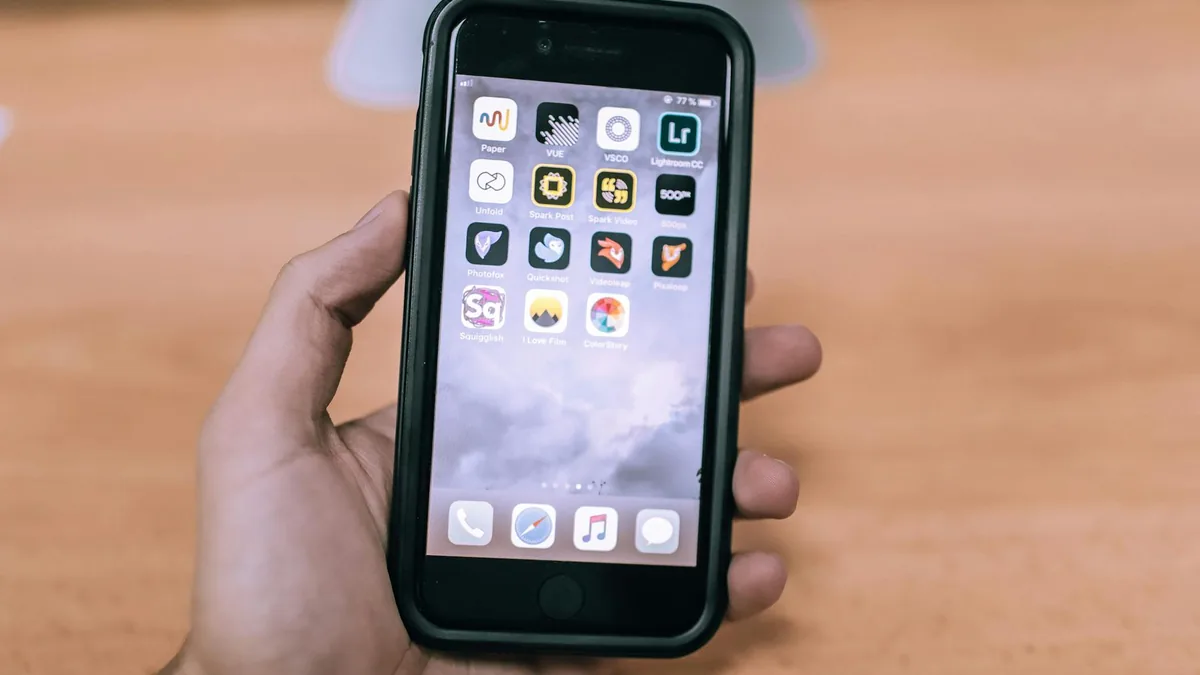
Looking for AI apps for iPhone that actually help with writing, studying, photos, or productivity? This guide breaks down common app types, what to check before downloading, and how to pick one that fits your needs.
If you’re searching for apps for iPhone that use AI, the most useful options usually fall into a few buckets: chat assistants for writing and planning, photo tools for cleanup/enhancement, study helpers for summaries and notes, and voice tools for transcription.
The “best” choice depends less on hype and more on what you need AI to do (create text, edit images, organize tasks, or convert speech to text), how you want to input information (typing, voice, files), and what privacy controls you’re comfortable with.
Quick comparison: common types of AI apps for iPhone
| Type of AI app | Best for | What to look for | Common trade-offs |
|---|---|---|---|
| Chat assistant | Drafting messages, brainstorming, planning, quick explanations | Good prompt history, export/share options, tone controls, reliable citations (if offered) | May hallucinate facts; quality varies by topic |
| AI writing & rewriting | Polishing emails, resumes, captions, rewriting for tone | Style presets, grammar controls, on-device keyboard support (if available) | Can sound generic; may require editing for accuracy/voice |
| Photo cleanup & enhancement | Removing objects, sharpening, lighting fixes, background edits | Non-destructive edits, easy undo, export quality controls | Artifacts on complex edges; results vary by photo |
| Transcription & meeting notes | Turning voice into text, summaries, action items | Speaker labels, timestamping, file import, share to Notes/Docs | Struggles with noise/accents; sensitive data considerations |
| Study & document helpers | Summaries, flashcards, Q&A from PDFs or screenshots | Source linking, page references, good file handling | May miss context; verify key details |
| Task & workflow automation | Turning ideas into to-dos, templates, routines | Integrations (Calendar/Reminders), widgets, shortcuts support | Setup time; may lock features behind paid plans |

Who AI apps for iPhone are best for
- Busy communicators: If you write a lot of texts, emails, or posts, AI can help draft, shorten, or change tone without starting from scratch.
- Students and self-learners: Helpful for summarizing readings, generating practice questions, and turning notes into study material (with fact-checking).
- Creators and small businesses: Useful for quick image touch-ups, caption ideas, product descriptions, and content outlines.
- Anyone who captures ideas on the go: Voice-to-text and “turn this into tasks” features can speed up your workflow when you’re away from a laptop.
What to pay attention to before you download
- Input options: Some AI apps only work well with typed prompts, while others shine with voice, photo import, PDFs, or clipboard capture. Match the app to how you actually work on iPhone.
- Export and sharing: Look for easy sharing to Apple Notes, Files, Mail, Messages, or third-party apps you already use. If you can’t get your output out, it won’t stick.
- Privacy and data handling: AI features may require uploading text, images, or audio to cloud services. Check whether you can delete history, opt out of training (if offered), or keep sensitive content out.
- Accuracy controls: For research or school, prioritize apps that can show sources, reference uploaded documents, or clearly separate “summary” from “guess.”
- Workflow friction on iPhone: Widgets, share-sheet actions, and keyboard support can matter more than fancy features—especially if you want AI available in any app.
Pros and cons of using AI apps on iPhone
Pros
- Fast drafts and edits: Great for getting from blank page to usable text quickly.
- On-the-go utility: Voice capture, quick summaries, and photo fixes fit naturally into mobile use.
- Helpful for repetition: Templates, rephrasing, and routine tasks can save time.
Cons
- Not always reliable: AI can be confidently wrong—especially with niche facts, legal/medical topics, or outdated info.
- Quality varies by input: A messy photo or noisy recording can lead to weak results.
- Privacy trade-offs: Uploading sensitive content may be a deal-breaker for some users.

A simple way to choose the right AI app for your iPhone
- Pick one primary job: writing help, photo editing, transcription, or study summaries. Avoid “do-everything” apps unless you truly want one hub.
- Decide where you’ll use it: If you need AI inside Messages/Mail/Docs, prioritize apps with a keyboard, share-sheet actions, or strong copy/export flows.
- Choose your comfort level with cloud processing: If you handle private work, look for clear history controls and data deletion options, and avoid uploading anything you wouldn’t email.
- Test with your real inputs: Try one messy photo, one real email draft, or one short voice note. If it doesn’t help on day one, it probably won’t later.
- Keep a backup option: Many people do best with two tools: one chat/writing assistant and one media tool (photos or transcription).
Final verdict: the “best” AI apps for iPhone depend on your task
The best AI apps for iPhone aren’t defined by a single brand—they’re defined by how well they fit your daily workflow. If you want faster writing and planning, start with a chat or rewriting tool that’s easy to access from anywhere on your phone. If you care more about visuals or meetings, focus on photo enhancement or transcription apps with strong export options.
Whichever route you choose, treat AI as a helper: verify important facts, keep an eye on privacy settings, and pick the app that reduces steps—not the one with the longest feature list.
FAQ
Are AI apps for iPhone safe to use with private information?
It depends on the app and whether it processes your content in the cloud. Before sharing sensitive text, photos, or audio, check for history controls, deletion options, and clear privacy documentation.
Do I need an internet connection for AI features on iPhone?
Many AI features rely on online processing, especially for chat, transcription, and large image edits. Some apps may offer limited offline tools, but you should expect the core AI features to work best online.
Which type of AI app should I start with?
If you’re unsure, start with a writing/chat assistant for everyday tasks (messages, drafts, brainstorming). Then add a specialized app—photo cleanup or transcription—if you have that specific need.
If you’re narrowing down options, make a short list of the top 2–3 AI app types you’ll actually use (writing, photos, transcription, study). Then compare them based on export options and privacy controls—those two factors usually matter most on iPhone.
